
9 Best Platforms To Sell Digital Products In 2026 (Without Tech Headaches)

Looking for the best platforms to sell digital products? You’re in the right place.
Whether you’re selling courses, ebooks, templates, memberships, or downloads, the platform you choose can make or break your results. Some make selling easy. Others quietly kill your conversions.
In this post, we’re breaking down the best platforms to sell digital products, what each one does best, and which is right for your business so you can start selling faster and with less friction.
The best platforms to sell digital products – summary
TL;DR:
Sellfy is definitely the easiest ecommerce platform to use, especially for beginners. It also happens to be the best option for selling digital downloads. You can also sell print-on-demand merchandise natively.
Payhip is the best option for selling online courses alongside digital products. It also supports coaching, memberships and physical products.
1. Sellfy
Sellfy is an all-in-one ecommerce platform that makes it easy to sell digital products, physical products and subscriptions with your own website, which you can build using the platform’s intuitive website builder.
However, it should be noted that you can also integrate Sellfy with your existing website.

In my opinion, it’s the best platform for selling digital products.
Basically, you can sell anything you can download with Sellfy. This includes everything from digital art, ebooks and audio files to something as complex as a WordPress theme.
I was impressed by features that are designed to protect your work from piracy.
For example, you’ll have access to each buyer’s IP address and a complete download log. You can also enable PDF stamping, which adds the buyer’s details to any PDF they download from you.
As Sellfy explains, this practice has shown to reduce piracy.
As for the shopping experience, after your customer completes a purchase, they’ll be taken to an order confirmation page where they can download the files they’ve purchased from you.
They’ll also receive an email containing a download link in case they click away from the confirmation page right away.
It’s a pretty neat and straightforward process.
Key features
- 20GB maximum file size
- PDF, EPUB, MP4, AVI, JPEG, PNG, TIFF and more supported
- Download attempts limited to 5
- PDF stamping
- Product bundles
- Pay-what-you-want pricing
- Upselling
- Coupon codes and sales
- Custom fields
- Customer reviews
- PayPal and Stripe available as payment gateways
- Advanced VAT and tax settings
- Free SSL certificate
- Built-in email marketing tool
- Built-in affiliate marketing tool
- Responsive online store design
- Embeds on third-party websites
- Simple analytics
- 24/7 support
Pros and cons
Pricing
Plans start at $29/month, and a 25% discount is available on annual plans. Get started with a 14-day free trial.
Read our Sellfy review.
2. Payhip
Payhip is one of the best ecommerce platforms for digital creators and entrepreneurs. That’s because along with digital products, you can also sell online courses, coaching and memberships.

You can sell physical products, but the platform is optimized for digital sales.
I’m mostly impressed by Payhip’s checkout design, especially when you add your store to an existing website.
It’s designed to increase conversions by reducing the number of pages customers need to navigate to and the number of fields they need to fill out in order to complete purchases.
The checkout interface displays as a popup form (which triggers from a Buy Now button) with two sets of fields: one for the customer’s email address and one for their payment information.
Once they complete their payment, the popup transforms into a download button, making the entire process quick and simple for customers.
Plus, Payhip is one of the only ecommerce platforms out there that comes with its own license key generator.
Overall, it’s a pretty simple platform to use, but it’s jam packed with features to help digital creators generate more sales.
Key features
- All file formats accepted
- Download attempts limited to 3
- PDF stamping
- License key generator
- Product bundles
- Pay-what-you-want pricing
- Upselling
- Cross selling
- Coupon codes
- Customer reviews
- Responsive store and checkout design
- Embeds on third-party websites
- Processes payments with PayPal and Stripe
- VAT collected automatically
- Free SSL certificate
- Email marketing built in
- Affiliate marketing built in
- Referral system built in
- Simple analytics
Pros and cons
Pricing
Payhip has a free forever plan that comes with 5% transaction fees. Paid plans start at $29/month and have lower or no transaction fees.
3. ThriveCart
ThriveCart is one of the best options out there for anyone interested in selling digital products. It lets you sell multiple product types, and its checkout and funnel features will definitely help you convert like crazy.

The only caveats are its unique pricing structure (which is quite expensive upfront) and steep learning curve, which make the platform difficult for beginners to pick up.
Even so, as a digital creator, ThriveCart is one of the best platforms you can use to move potential customers through your sales funnel quicker, all while encouraging them to purchase additional products along the way.
I especially like its drag-and-drop checkout editor and landing page builder, two tools that help you increase conversions through design.
And if you have joint venture partners, you’ll be able to set up dedicated revenue shares. You can also launch an affiliate program for your products in minutes.
Plus, it lets you monitor a lot of metrics through its analytics tool.
Key features
- Numerous file types accepted
- Advanced funnel automation
- Powerful upselling and “bump offers”
- Coupons and discounts
- Customizable cart and checkout pages
- Pay-what-you-want pricing
- Sales tax automated
- Drag-and-drop checkout editor
- Landing page creator
- Templates optimized for conversions
- Affiliate marketing built in
- Abandoned cart recovery
- Advanced analytics
- A/B testing
- 24/7 support
Pros and cons
Pricing
The cheapest plan has a one-time payment of $495 but offers limited features. Other plans have higher one-time fees then renew at $295/year after two years.
4. SendOwl
SendOwl is primarily a platform you can use to sell digital products online, but it thrives when you also use it to sell online courses.

This is due to a unique feature SendOwl offers: a marketplace built for online courses.
Browsing this marketplace gives you access to nearly every course that’s hosted with SendOwl. You’ll even be able to read customer reviews.
But back to digital products specifically, this platform is one of the best out there for digital goods.
It supports larger file sizes than the other tools I’ve listed so far, additional features like preorders, a license key generator and gifting, and includes advanced analytics without making things too complicated.
Unfortunately, SendOwl takes away from these unique selling propositions (USPs) with its restrictive pricing structure, which blocks access to key features in the cheapest pricing tier and charges overage fees when you exceed bandwidth limits.
Key features
- Supports all file types
- Maximum file size of 50GB
- PDF stamping
- License key generator
- Custom checkout fields
- Product bundles
- Preorder functionality built in
- Upselling
- Cross selling
- Coupons and discount codes
- Pay-what-you-want pricing
- PayPal and Stripe supported
- Abandoned cart recovery
- Responsive cart templates
- Integrates with website builders
- Affiliate marketing tool built in
- Gifting option for customers
- Analytics and reports
- Priority support available
Pros and cons
Pricing
Plans start at $39/month. A 7-day free trial is available on all plans.
5. MailerLite
MailerLite is an email marketing platform that allows you to profit off of digital products by selling them directly through your email list.
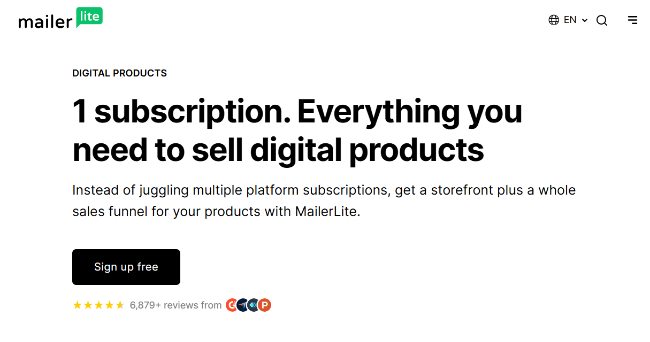
It’s quite limited when you intentionally use MailerLite as an ecommerce platform.
However, if you think of MailerLite as an email marketing platform first and an ecommerce platform second, you realize that having the ability to sell an ebook or charging a monthly subscription for premium content through your email list is a bonus, not a limitation.
Key features
- PDF, EPUB, PNG and JPEG supported
- Package pricing
- Upselling through email marketing automations
- Website builder
- Landing page builder
- Email marketing built in
- Email automations allow you to build powerful marketing funnels
- Abandoned cart recovery
- Stripe supported
- 24/7 support
- Priority support available
Pros and cons
Pricing
MailerLite has a free plan (for up to 500 email subscribers), but you need a paid plan in order to sell digital products. Paid plans start at $10/month.
6. Skool
Skool is a community-based platform that allows you to create a private space for your global audience while monetizing it with memberships, courses and exclusive content.

I really like what Skool has to offer as a community-based platform, especially when you compare it to a competitor like Patreon, a platform whose content is mostly focused on posts you as a creator publish.
Skool is different. Anyone in your community can create a post for the rest of the community to engage with.
Your members can even earn rewards the more they engage.
But, of course, managing an online community and keeping it active takes a lot of hard work. Naturally, this means you can monetize it.
Along with memberships and online courses, you can monetize your “skool” with exclusive resources.
Key features
- Sell monthly memberships
- Sell exclusive content
- Sell exclusive resources
- Online courses
- Event calendar
- Community features
- Affiliate program built in
- Email marketing built in
- Simple analytics
- Processes payments for you
Pros and cons
Pricing
Skool costs $99/month plus a 2.9% transaction fee on every sale you earn. A 14-day free trial is available.
7. Kit (formerly ConvertKit)
Kit is an email marketing tool that allows you to sell digital products, newsletter subscriptions, and coaching services.

I’ve been impressed with Kit ever since it hit the market as ConvertKit, back when Pay Flynn of Smart Passive Income was featuring it in his content pretty regularly.
Although the tool has gone through quite a few pricing and rebranding changes since then, it’s only grown more impressive over the years.
Now, along with email automations and sequences, you can monetize your newsletter directly with Kit by selling digital products and premium newsletter subscriptions.
Key features
- All digital file types supported, including MOBI and presets for software like Adobe Lightroom and Premiere Pro
- Payments processed by Stripe
- Pay-what-you-want pricing
- Virtual tip jar
- Email marketing built in
- Marketing funnels powered by automations
- Landing page builder
- 24/7 support available
- Priority support available
Pros and cons
Pricing
Kit has a free forever plan that allows you to sell digital products. Paid plans start at $39/month for up to 1,000 subscribers. Paid plans come with a 14-day free trial and a 30-day money-back guarantee.
8. Podia
Podia is an all-in-one platform that allows you to build a website and sell multiple product types on it, including digital products.
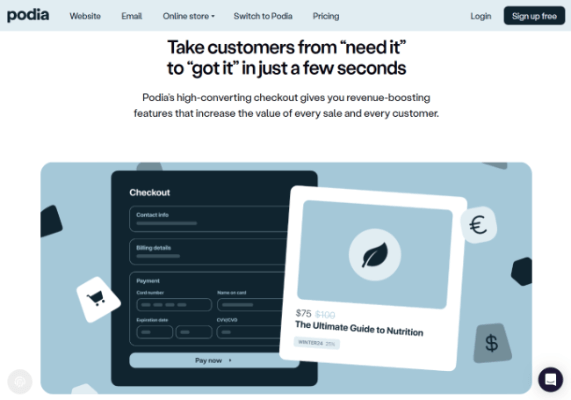
Along with digital products, you can use Podia to sell online courses, tickets to webinars, and coaching services. You can even use it to build an online community.
I really like what Podia has done with its platform. It has everything you need to grow an audience, keep it active and engaged, and monetize it.
Most importantly, it’s highly optimized for engagements, which will increase your digital product sales.
It also makes it incredibly easy to increase your marketing efforts with its built-in landing page builder, email marketing, sales funnel and upselling features.
The platform’s email marketing features, in particular, which it calls Podia Email, are pretty powerful in comparison to other options on this list.
Key features
- Most digital file types supported
- Product categories
- Waitlists
- Preselling
- Custom payment plans for products
- Product bundles
- Upselling
- Coupons
- Website builder
- Landing page builder
- Checkout page optimized for conversions
- Product embeds
- Email marketing built in
- Affiliate marketing built in
- Supports taxes from all around the world
- Payments processed by PayPal and Stripe
Pros and cons
Pricing
Plans start at $39/month. A 30-day free trial is available.
9. Gumroad
Gumroad is a dedicated ecommerce platform for selling digital products and had been the standard for starting a digital product business for quite some time.
However, it has since been dethroned by several competing platforms.
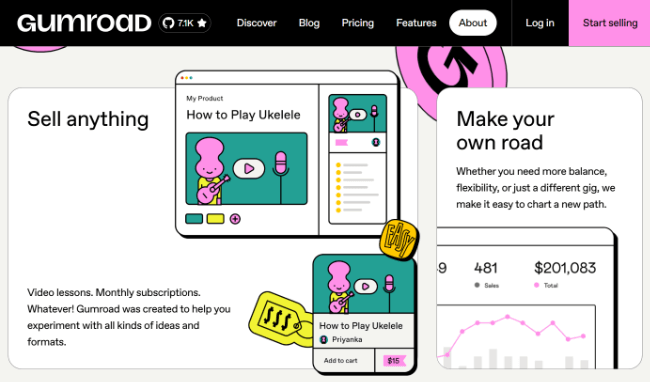
Don’t get me wrong, Gumroad is still a fantastic platform that many creators still use to generate over $1 million in sales collectively every week. That’s why it’s on this list.
Its Discover functionality, a prominent part of its website where anyone can find trending digital products on the platform, is particularly useful for getting your products noticed outside of your own marketing channels.
But the platform’s pricing structure makes it a lot less attractive than other platforms out there.
This is because instead of charging a small transaction fee or no transaction fee in exchange for charging a monthly fee, Gumroad charges a 10% + $0.50 transaction fee on all sales and a 30% transaction fee if your product was purchased from the Discover marketplace.
This is on top of the 3.49% + $0.30 fee that PayPal charges you.
Just to give you an idea of how costly this is, let’s say you generate $5,000 in one month on Gumroad.
This will cost you $675.30 at 10% and $1,675.30 at 30% (+ PayPal’s fees).
On Sellfy, a platform that charges no transaction fees, $5,000 in monthly sales would cost you the platform’s monthly service charge of $159 and $174.80 in PayPal fees for a grand total of $333.80.
If your annual sales are lower than $50,000, you’d only pay $253.80 for $5,000 in sales. Quite a difference.
Key features
- Maximum file size of 16GB
- All digital file types supported
- One-time payments
- Subscriptions
- Pay-what-you-want pricing
- Fixed-length pricing
- Custom pricing, such as charging more for lossless audio
- Product bundles
- Upselling
- License key generator
- Lightweight DRM to protect against piracy
- Collects sales tax and VAT automatically
- Storefront builder
- Flexible page editor
- Embeds on your website
- Built-in marketplace (Discover)
- Email marketing built in
- Simple analytics
- Payments processed by PayPal
Pros and cons
Pricing
Gumroad is free to use forever, but it has a steep transaction fee of 10% + $0.50 per transaction for regular transactions and a 30% fee for marketplace transactions from new customers.
Frequently asked questions
Here are answers to questions creators have about digital ecommerce platforms.
What’s the best platform to sell digital products?
In my opinion, the best platform for selling digital products is Sellfy.
It’s affordable, very easy to use, supports a lot of file types and comes with its own marketing features.
What’s the best way to sell digital products?
There are a few different ways you can sell digital products, but I truly believe the best way is by using an all-in-one ecommerce platform that supports digital products, like Sellfy.
You can host your own ecommerce website with a WordPress + Easy Digital Downloads setup, but this is expensive and complicated in comparison to an all-in-one platform.
You could also sell products through marketplaces like Envato and Creative Market, but this option comes with quite a few marketing limitations, mostly email marketing.
What digital products can you sell online?
Here are a few product ideas if you want to start selling digital products:
- Online courses
- Ebooks
- Presets
- Workbooks
- Music files
- Stock photos
- Icon sets
- Wallpapers
- Premium podcast content
- Email templates
- Notion templates
- Recipes
- Magazines
- Premium video content
- Sound effects
- Beats
- Fonts
- Animations
- Sheet music
- Games
- Apps
- Browser extensions
Final thoughts
I know choosing an ecommerce platform is difficult, so let’s make it simple. For me, it really boils down to two platforms:
- Sellfy for selling digital products in general
- Payhip if you also want to sell online courses
Both are also fantastic platforms for anyone interested in subscription ecommerce platforms or selling video on demand.
In general, you want a platform that’s easy to use and supports the type of digital products you plan to sell.
It should handle the file sizes you need and offer pricing you can actually afford as you grow.
Some tools on this list offer free plans, but many are so limited they barely help you move the needle. That’s why it’s just as important to choose a platform that supports the marketing and sales strategies you want to use, not just the product delivery.